Git&Github challenges day9
Aspiring Devops engineer
90daysofdevops day9 under guidance of #ShubhamLondhe
- What is git & why it is important?
Git is a version control system that is used for code management & helps us to track all the changes we made so that we can always go back to the old version. It is a source code management tool used to manage different versions and histories and allows us to collaborate with the developers.
Git is important as 1- Helps in code management 2- Provides versioning for each change made in the files or code 3- We can restore the files in git. 4- Helps in collaboration with the developers.
- What is the difference Between Main Branch and Master Branch?
The Main & master branch is the default branch as we create a repository in Git or Git Hub. The difference is that the Main branch is used in GitHub and the master branch is used in Git (Local workspace).
- Can you explain the difference between Git and GitHub?
Git is a version control system that helps in source code management. We can install it in our local system. Git is a CLI (command line interface) where we use the following commands: git init, git add, git commit, git status etc.
Git Hub provides a practical platform to use Git. It is hosted on a cloud as it is a web-based service. GitHub is a GUI (Graphical-user interface).
How do you create a new repository on GitHub?
Log in to your GitHub account
At the upper-right corner of the page, use can see a ‘+’ next to your GitHub avatar, use the drop-down menu, and select New Repository.
Enter the name of the repository
You can add a description for your repository
Select the visibility of the repository: Public or private
Select Initialize this repository with a README.md file (optional).
Click on ‘Create repository’.
It is a procedure to create a new repository on GitHub.
- What is the difference between local & remote repositories? How to connect local to remote?
Local repository refers to a git in a local computer. Every developer has their local repository on their local devices. All the changes that are made to the code are untracked here until and unless the developer adds and commits the changes. Changes in the local repository can be saved into the remote repository using the ‘git push command.
Remote repository refers to the repository that is hosted in the GitHub in which developers make changes. Here, all changes are tracked. Any changes in the remote repository, that should be sent back in the local repository can be done by the ‘git pull command.
to connect the local repository to the remote repository we use the following commands: git init git add git status git commit -m "message"
Tasks:
Task-1: - Set your user name and email address, which will be associated with your commits.
git config --global user.name "Kavitapant"
git config -- global user.email "kavitapant19464@gmail.com"
This command will set the user name and email address.
Task-2: -
2. Create a repository named "Devops" on GitHub
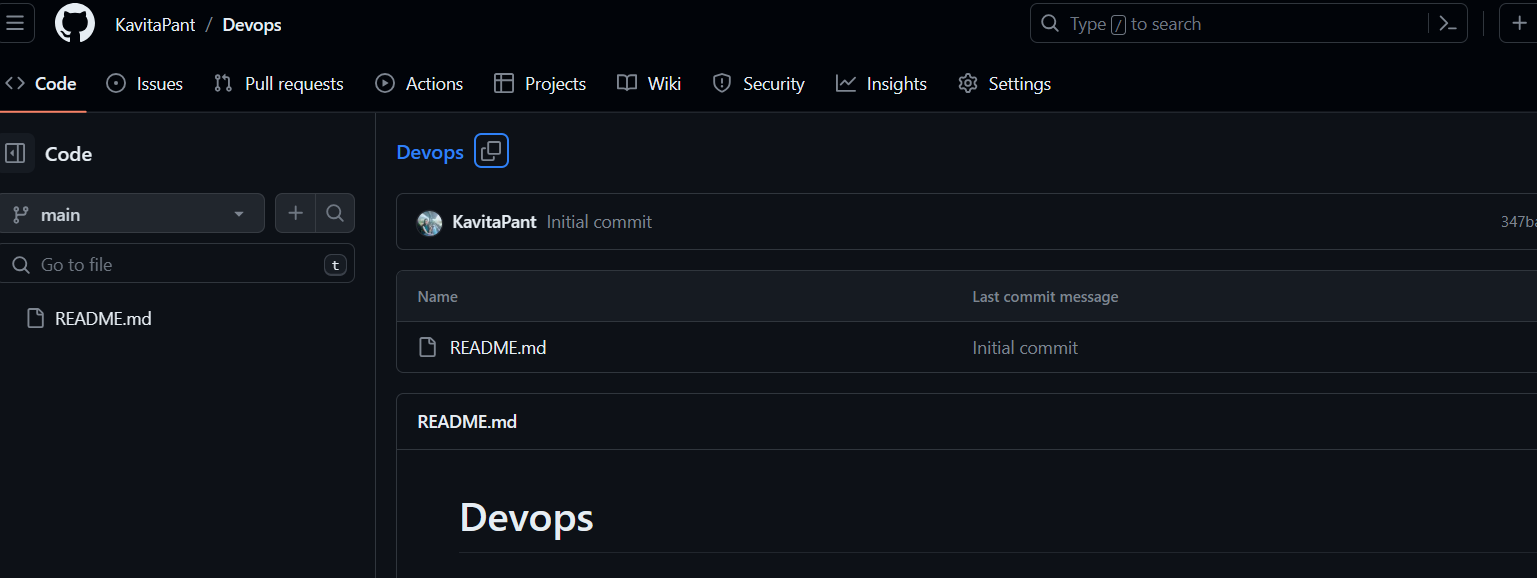
3. Connect your local repository to the repository on GitHub.
by git clone command clone your repository.
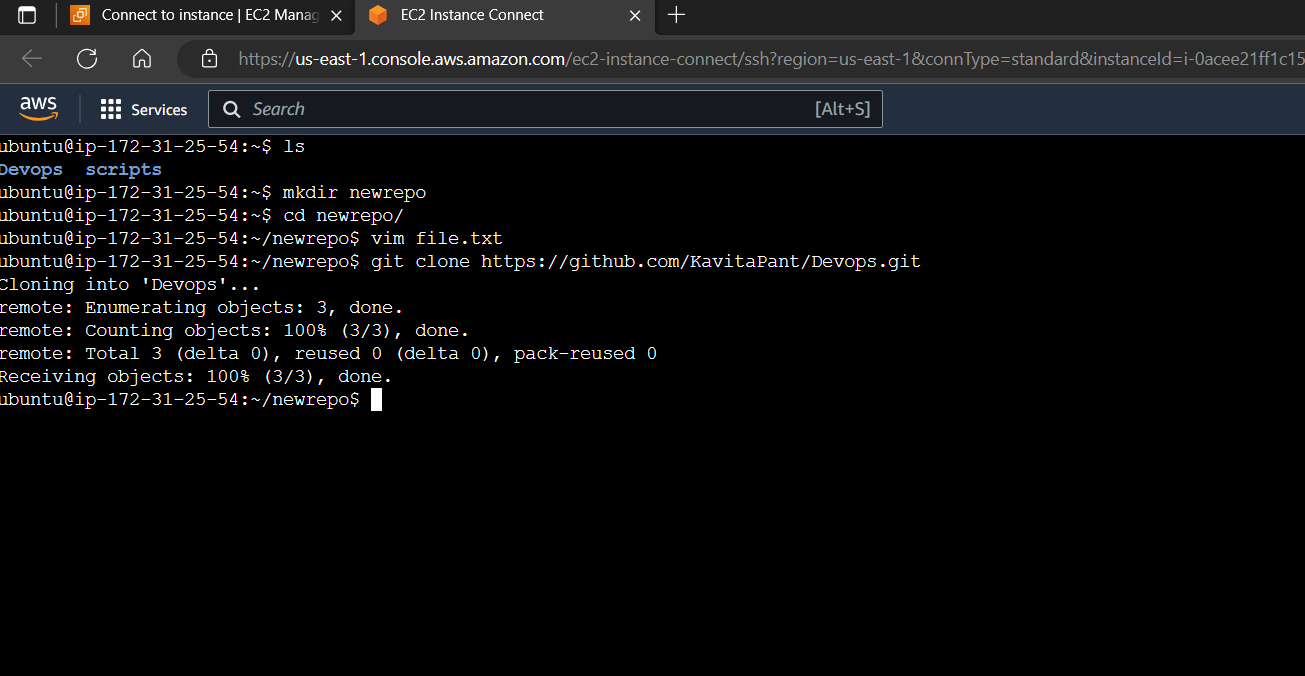
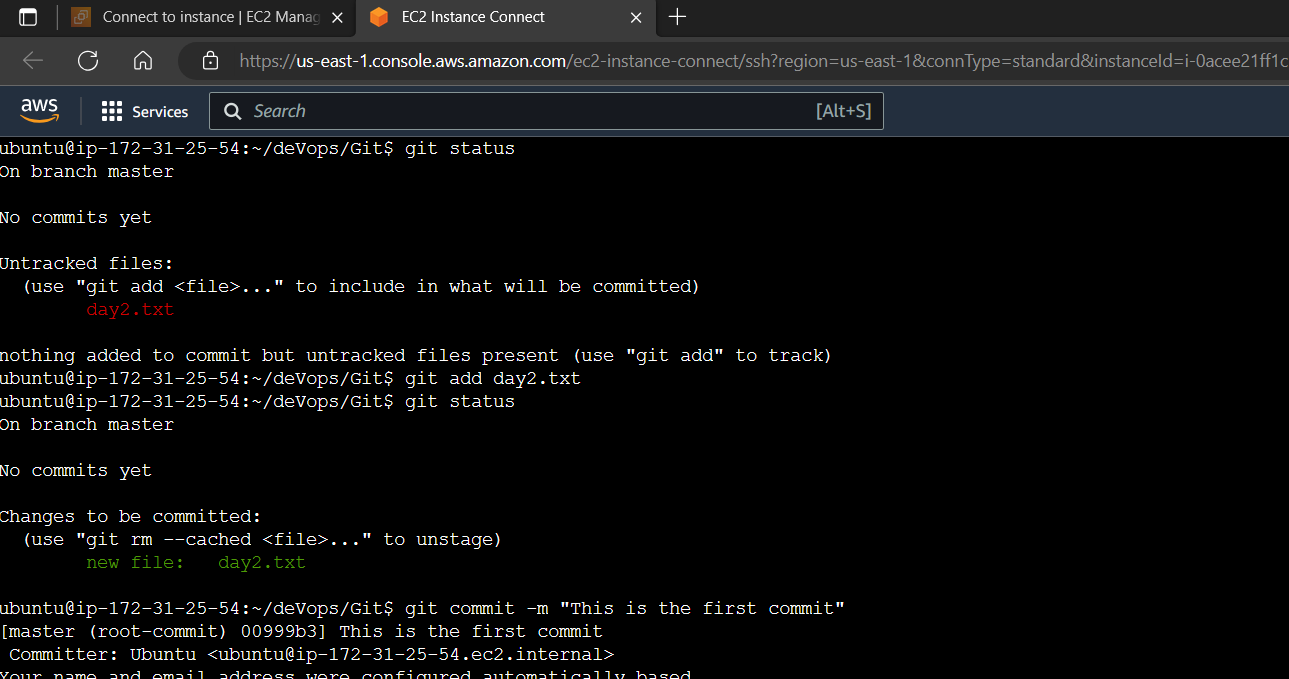
4. Create a new file in Devops/Git/Day-02.txt & add some content to it .
Push your local commits to the repository on GitHub.
We will use the git push command
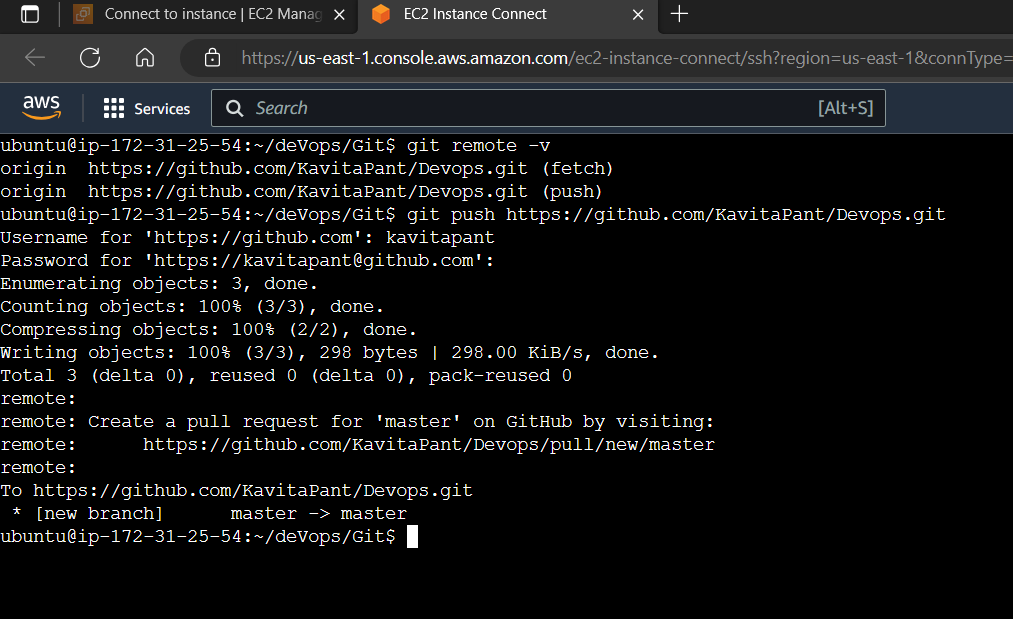
Here completed day 9 tasks with git and github concepts. Hope you find the information useful.
please do follow and click the clap 👏 button below to show your support 😄
#trainwithshubham #90daysofdevopschallenge #shubhamlondhe
Thank you for reading,
Kavita Pant