Day27 of 90daysofdevopschallenge
Jenkins declarative pipeline using docker.

Aspiring Devops engineer
Task-01
Create a docker-integrated Jenkins declarative pipeline
Use the above-given syntax using
shinside the stage block.Steps to make Jenkins declarative pipeline.
Open Jenkins Homepage and select “New Item”.
Enter the name of the item and select “Pipeline”.
Write a groovy script to create a docker-integrated Jenkins declarative pipeline that deploys a nptes-app docker container.
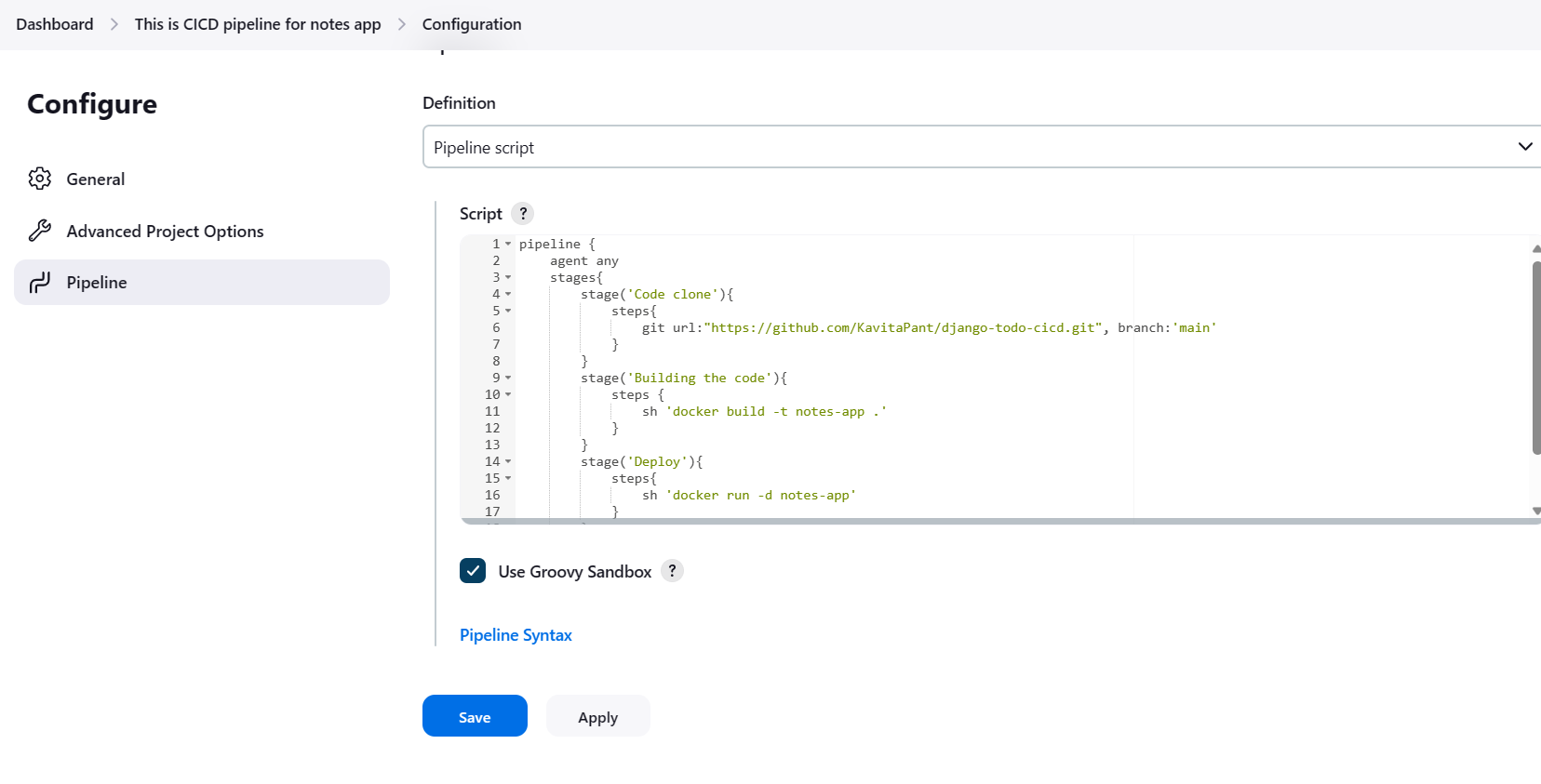
After saving the changes, let's build the pipeline.
We can view the outcome of the stages on the Status page.
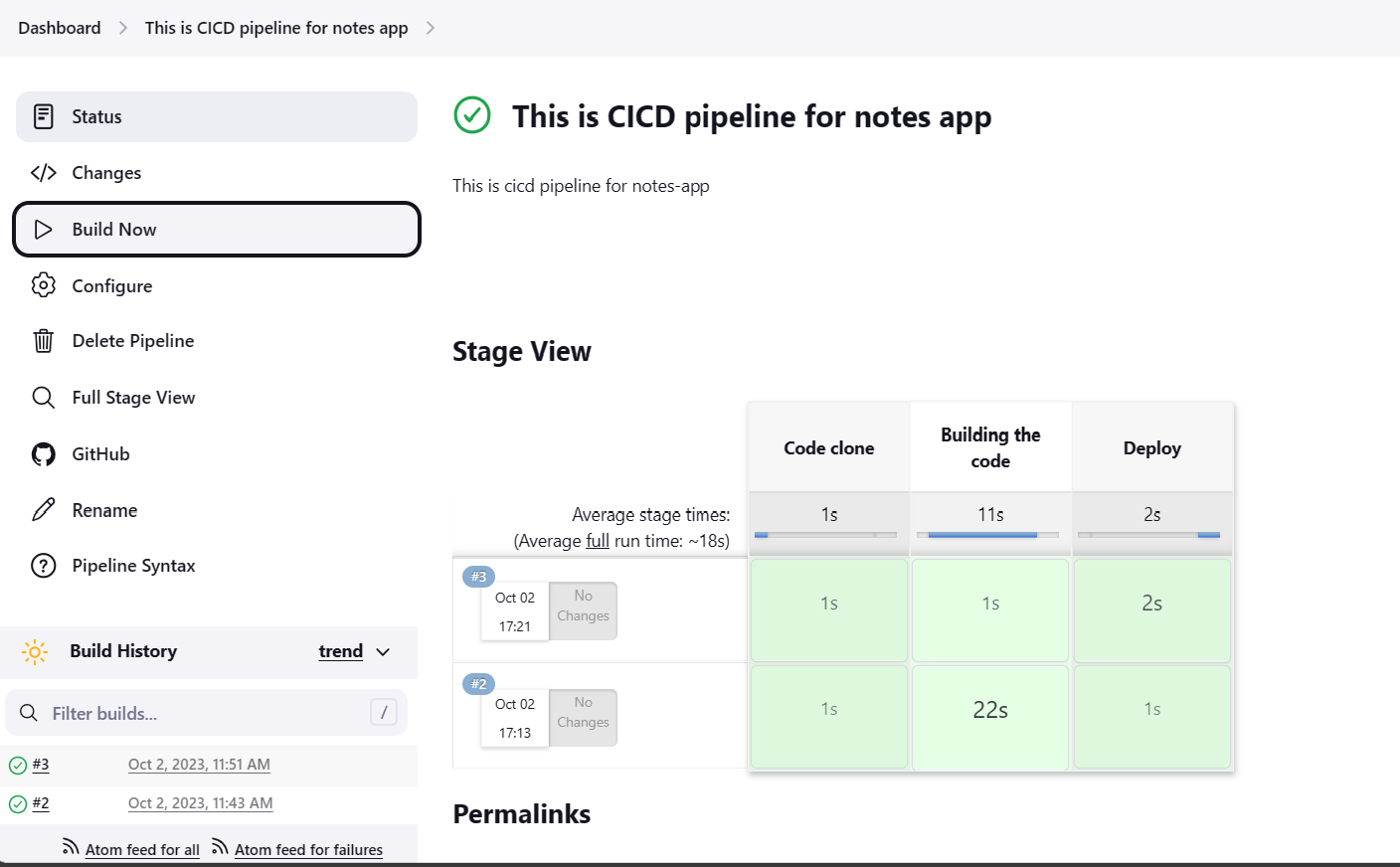
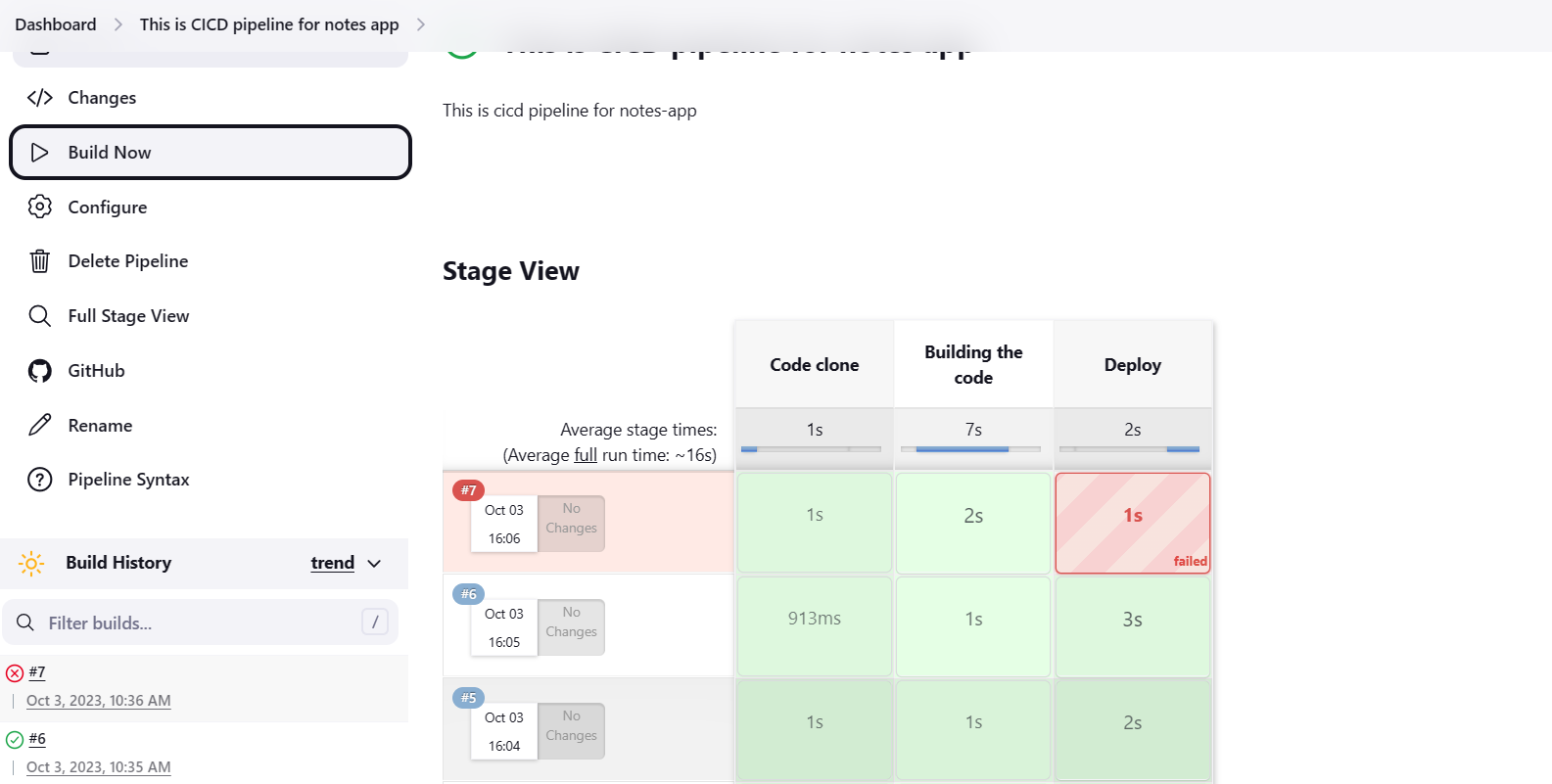
You will face errors in case of running a job twice, as the docker container will be already created.
Task-02
Let's modify the groovy syntax such that it uses the docker agent and reuses the docker container.
Create a docker-integrated Jenkins declarative pipeline using the
dockergroovy syntax inside the stage block.We can solve the error with the help of docker-compose, by modifying the script using the docker-compose down and up commands.
  stage("code Deploy"){
              steps {
                  sh 'docker-compose down'
                  sh 'docker-compose up'
              }
          }
Hence docker-compose will down the container running on port using dockerfile and docker-compose up will run the container. This is how we can troubleshoot the errors.