Day10 90daysofdevopschallenge
Advance Git & GitHub for DevOps Engineers.

Aspiring Devops engineer
Git Branching
Git Branching is used to isolate development work without affecting other branches in the repository. Each repository has one default branch, and can have multiple other branches. You can merge a branch into another branch using a pull request.
Branches allow you to develop features, fix bugs, or safely experiment with new ideas in a contained area of your repository.
Git Revert and Reset
Git revert allows you to create a new commit that undoes the changes made in a previous commit. It's like taking a step back without erasing history. On the other hand, "git reset" is more powerful and can be used to reset your branch to a specific previous commit. This can be helpful when you want to start over or remove commits entirely.
Git Rebase and Merge
What Is Git Rebase?
Git rebase and git merge both are used to integrate the changes from one branch to another branch in different way. Git rebase will maintain linear commit history.It will get added to tip of another branch we can sqash multiple commits as a single commit and then we can merge.
What Is Git Merge?
Git merge Git merge is a command that allows developers to merge Git branches while the logs of commits on branches remain intact.
Git merge is the most common method of integrating changes from one branch into another. It combines the histories of two branches, creating a new commit that incorporates the changes from both.
Day10 tasks:
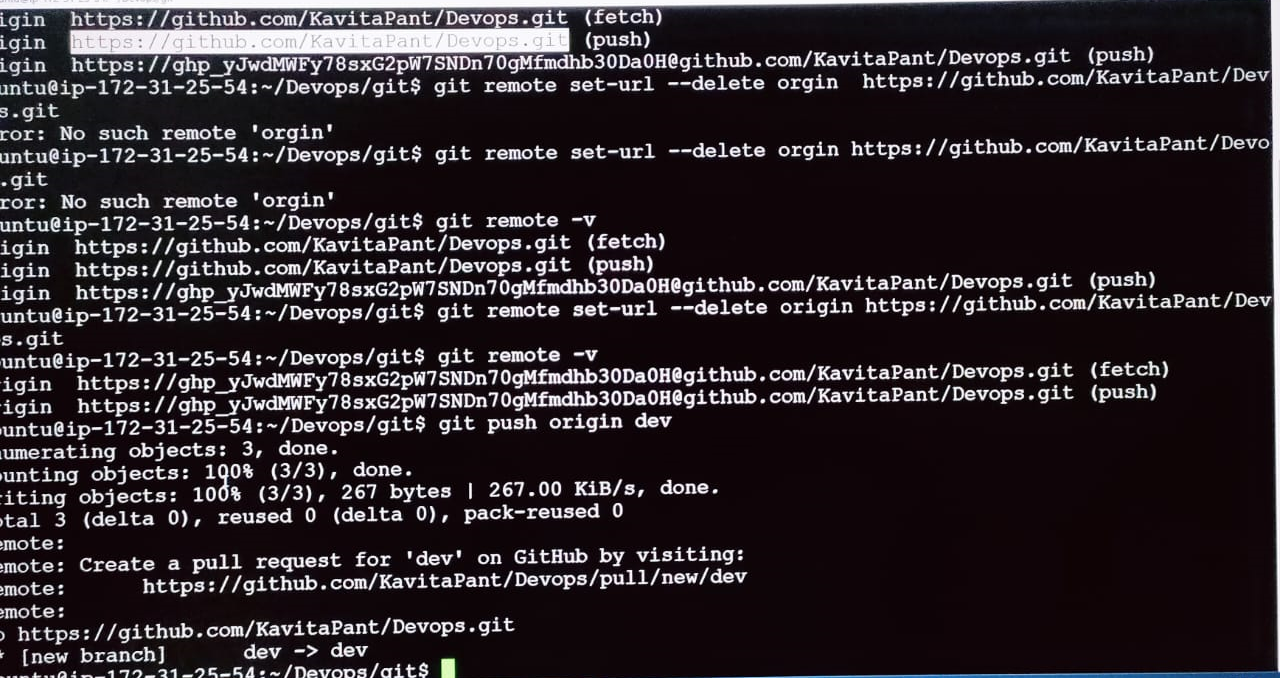
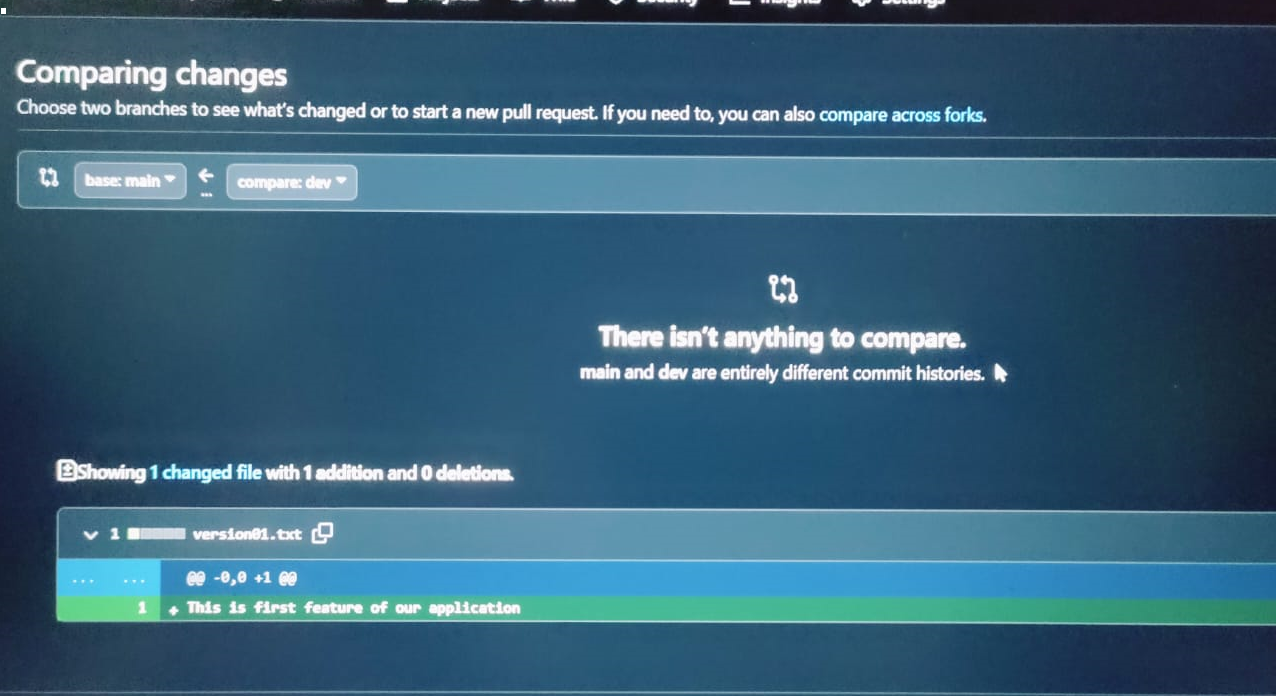
a) Add a text file called version01.txt inside the Devops/Git/ with “This is first feature of our application” written inside. This should be in a branch coming from master,
switch to dev branch ( Make sure your commit message will reflect as "Added new feature").
- version01.txt should reflect at the local repo first followed by the Remote repo for review.
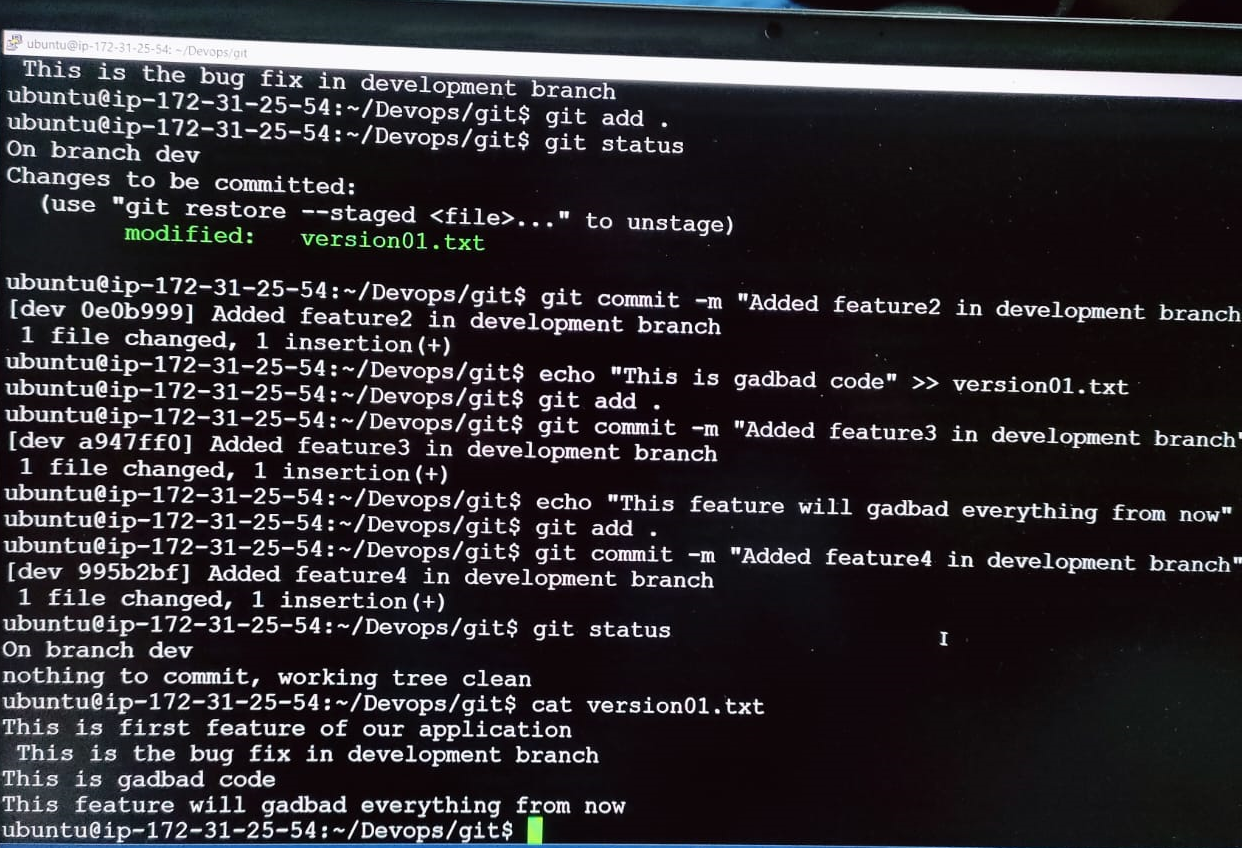
Add a new commit in dev branch after adding the below-mentioned content in Devops/Git/version01.txt: While writing the file make sure you write these lines
1st line>> This is the bug fix in the development branch
Commit this with the message “ Added feature2 in development branch”
2nd line>> This is gadbad code
Commit this with the message “ Added feature3 in the development branch
3rd line>> This feature will gadbad everything from now.
Commit with the message “ Added feature4 in the development branch
Task 2:
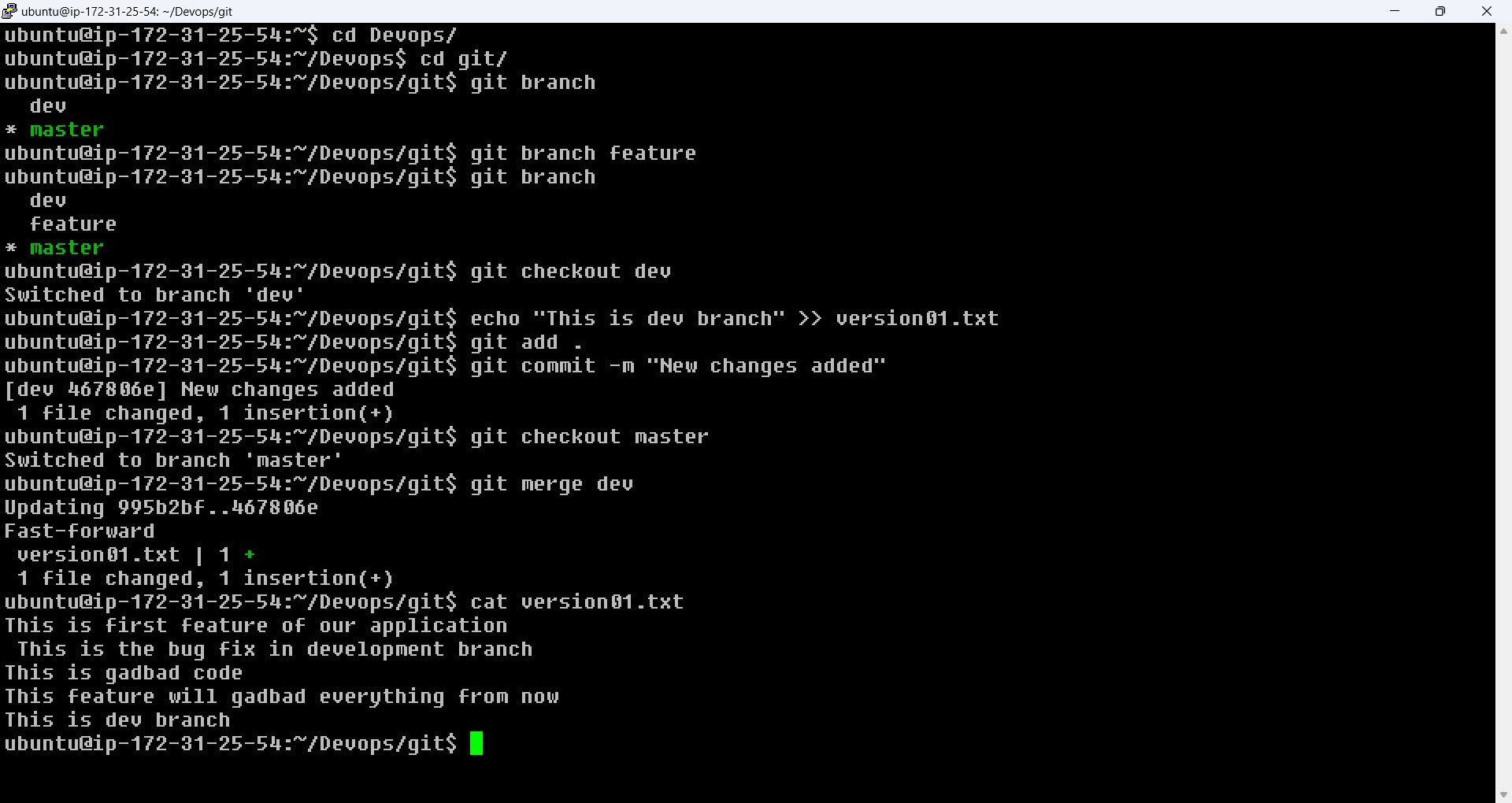
Demonstrate the concept of branches with 2 or more branches with screenshot.
add some changes to
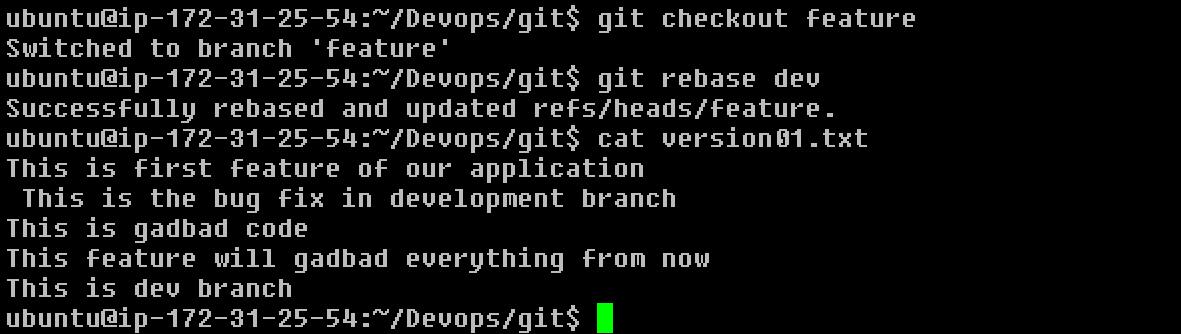
devbranch and merge that branch inmasteras a practice try git rebase too, see what difference you get.
If this post was helpful, please do follow and click the like👍 button below to show your support 😄.
Thanks
Kavita Pant